

Work Coordination Platform

Manage projects.
Optimize processes.
Automate workflows.
Company strategy in prefect sync with every employee and task.
KanBo runs inside your infrastructure.
Not ours.
KanBo operates no multi-tenant cloud of its own. Whichever model you choose, the record of your work sits in a tenant or a data centre you already own, govern and audit — under your identity system, your retention policy, your jurisdiction. Deployment is a governance decision, and it stays yours.

Cloud — inside your Microsoft 365 tenant
KanBo is installed into the Microsoft 365 and Azure environment your organisation already runs. Your IT team owns the tenant, the identity layer and the data; KanBo adds the coordination layer on top. No new vendor infrastructure, no data migration to a third party, no separate security perimeter to certify. Choose this when your Microsoft estate is already your system of record and you want the coordination layer to inherit its controls.





GCC High Cloud — for controlled and classified work
For organisations operating under FedRAMP, ITAR and DFARS obligations, KanBo installs into Microsoft’s GCC High environment. Federal agencies, defence primes and their supply chain coordinate in the same environment their contracts already require — no exception process, no shadow tooling for the work that can’t leave. Choose this when a contract clause, not a preference, dictates where your data may reside.




On-premises — full custody
KanBo runs entirely on your own servers, including air-gapped networks. Nothing traverses infrastructure you do not operate. For regulated manufacturers, public-sector bodies and institutions where the answer to “who can access this?” must be nobody outside this building, this is the only architecture that answers the question honestly. Choose this when the operational record cannot leave your custody, for legal, contractual or sovereignty reasons.

Hybrid — two instances, one boundary you define
Two KanBo instances: one self-hosted, one on Microsoft’s infrastructure, including GCC High. You decide which work lives on which side — sensitive programmes stay in custody, everything else scales in the cloud. The boundary follows your classification policy rather than your vendor’s architecture. Choose this when you have two classes of work and refuse to govern them by the same rule.
Discover KanBo’s Powerful Features for All Your Projects

The platform’s features, including task management, scheduling, document management, and analytics, streamline work management and boost efficiency.

Card
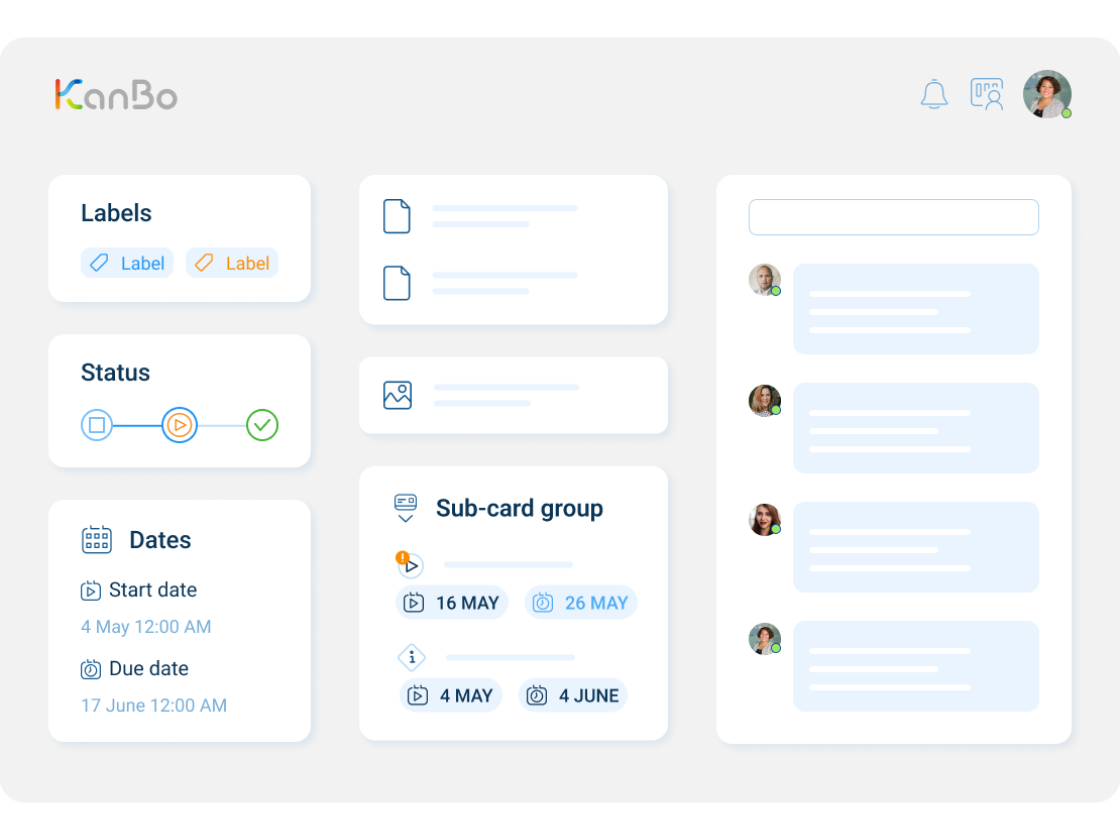
Cards are a core feature of KanBo, serving as a visual representation of tasks or any items that need tracking and management. Each card holds essential information, including notes, files, comments, dates, checklists, and other data relevant to the task at hand.

Gantt Chart View
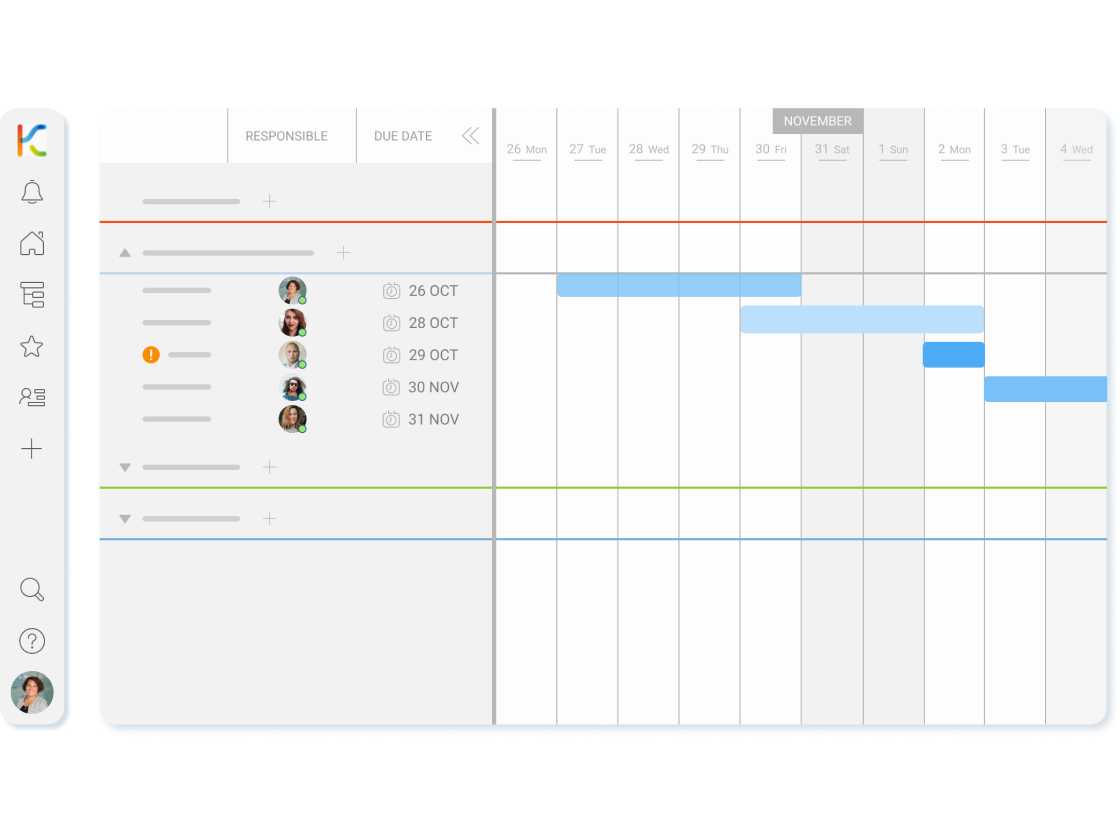
It is an essential tool for organizing and tracking projects effectively. Gantt Chart provides a clear overview of the project with its simple yet powerful visual representation of tasks and their timelines.
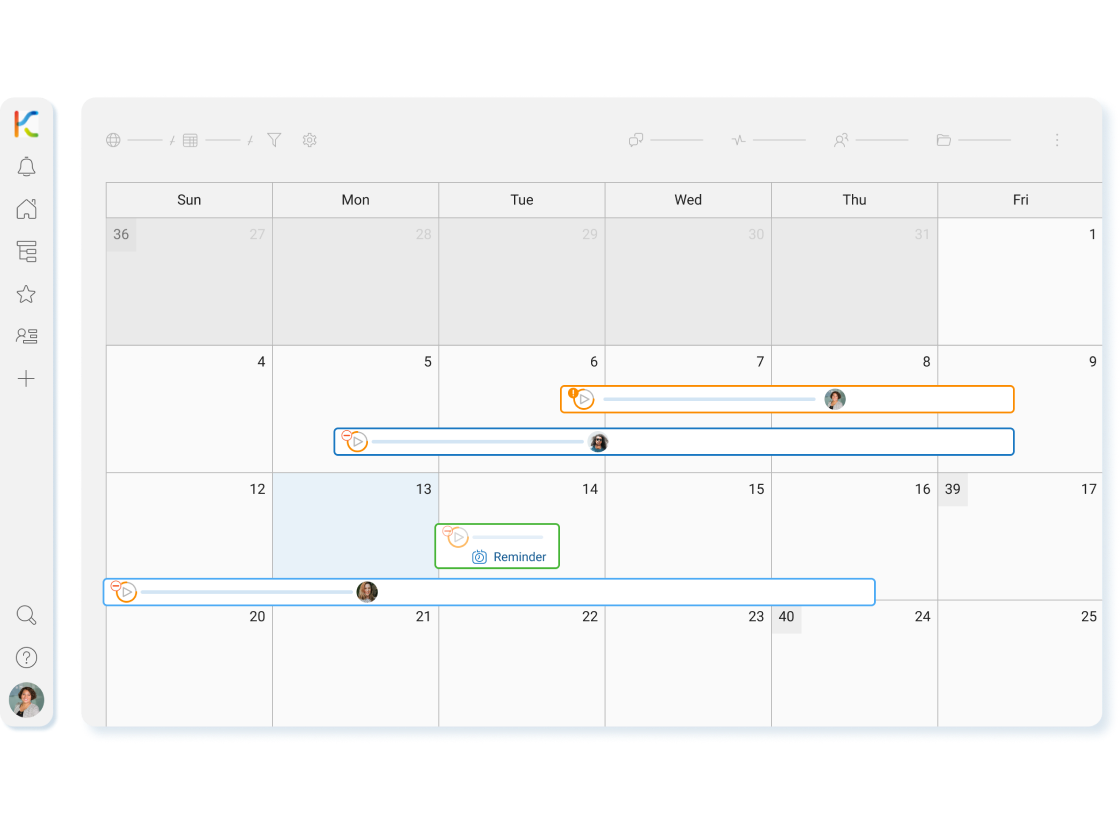

Calendar View
Calendar view provides a visual, time-dependent representation of your tasks. This allows you to easily see upcoming due dates, track progress and manage your workload.
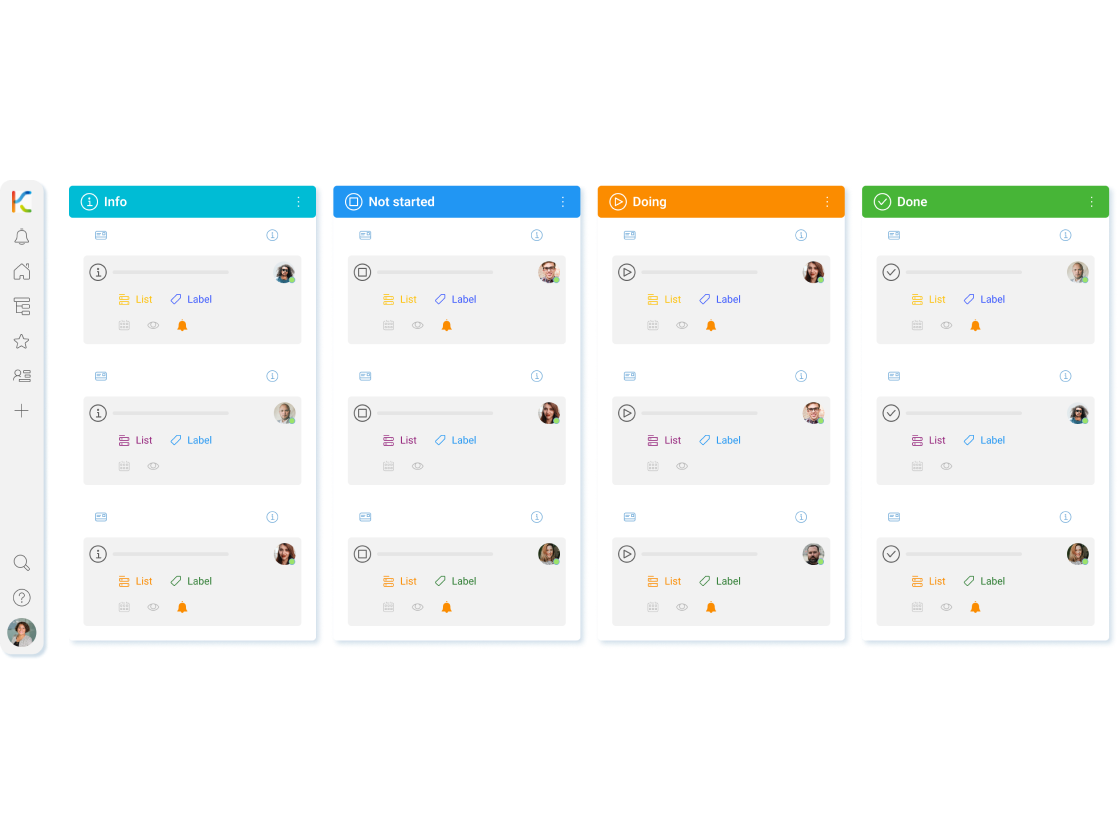

Kanban View
Kanban enables tracking tasks and progress visually, offering a clear representation of project advancement, making it easy for users to monitor their current status.
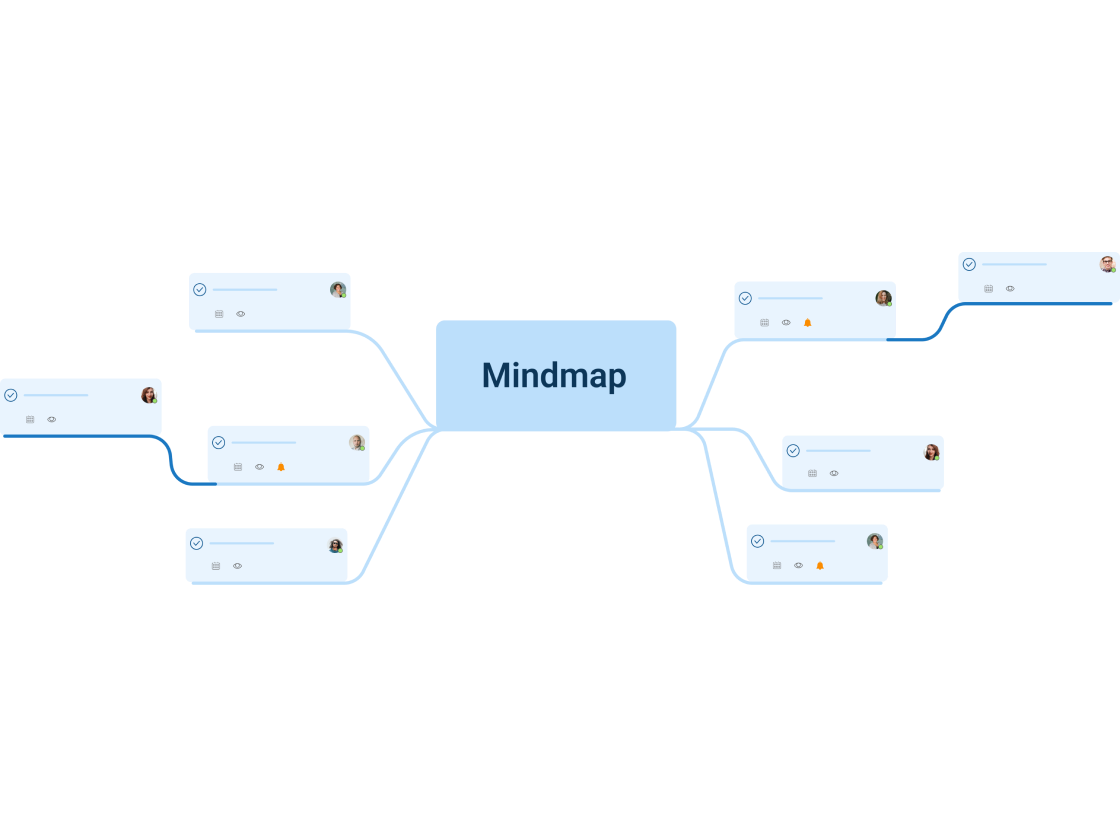

Mind Map View
The Mind Map view is an innovative tool for planning and organizing tasks. It offers a dynamic visual representation that connects and organizes cards, providing a flexible and creative alternative to traditional lists and tables.
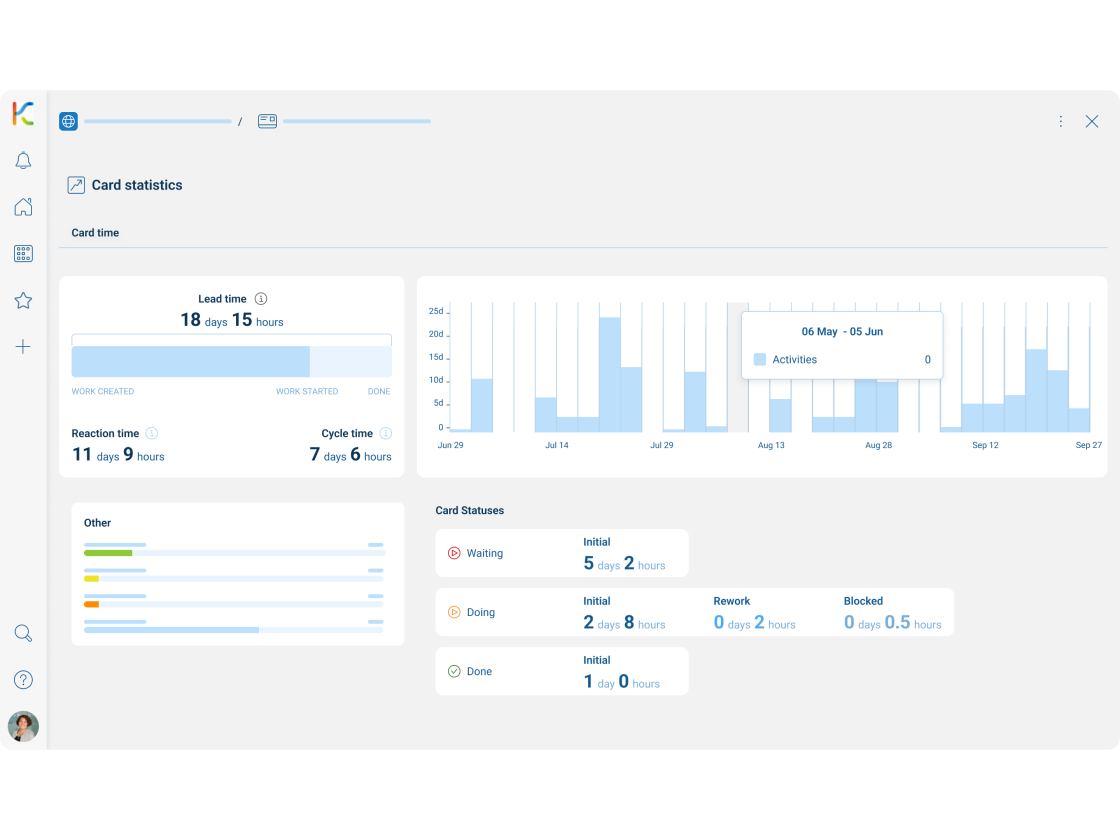

Card statistics
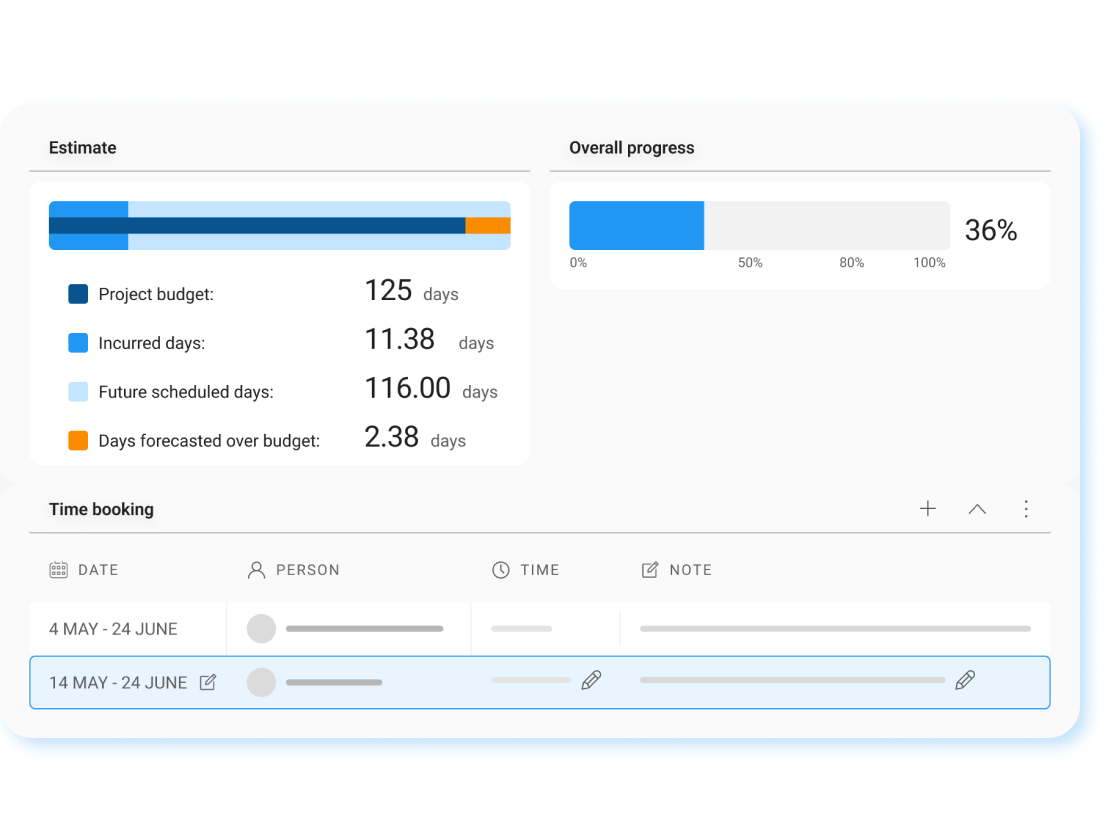
The card statistics feature offers a wealth of analytical insights to help users gain a comprehensive understanding of their card realization process. It provides a visual representation of a card’s lifecycle.

KanBo Getting Started Videos
Explore KanBo Learn, your go-to destination for tutorials and educational guides, offering expert insights and step-by-step instructions to optimize.
Company strategy executed day by day
Show strategy and connect company goals with daily operations. Coordinate projects, portfolios and measure progress. Achieve operational excellence with cross functional dependencies. Perform daily tasks always in harmony with the company’s strategy.

Seamless integration
KanBo uses already existing IT infrastructure, making it a secure platform that reduces the cost of KanBo to the purchase of licenses only. This means businesses can take advantage of their existing investments in technology, and easily integrate KanBo into their existing IT architecture.
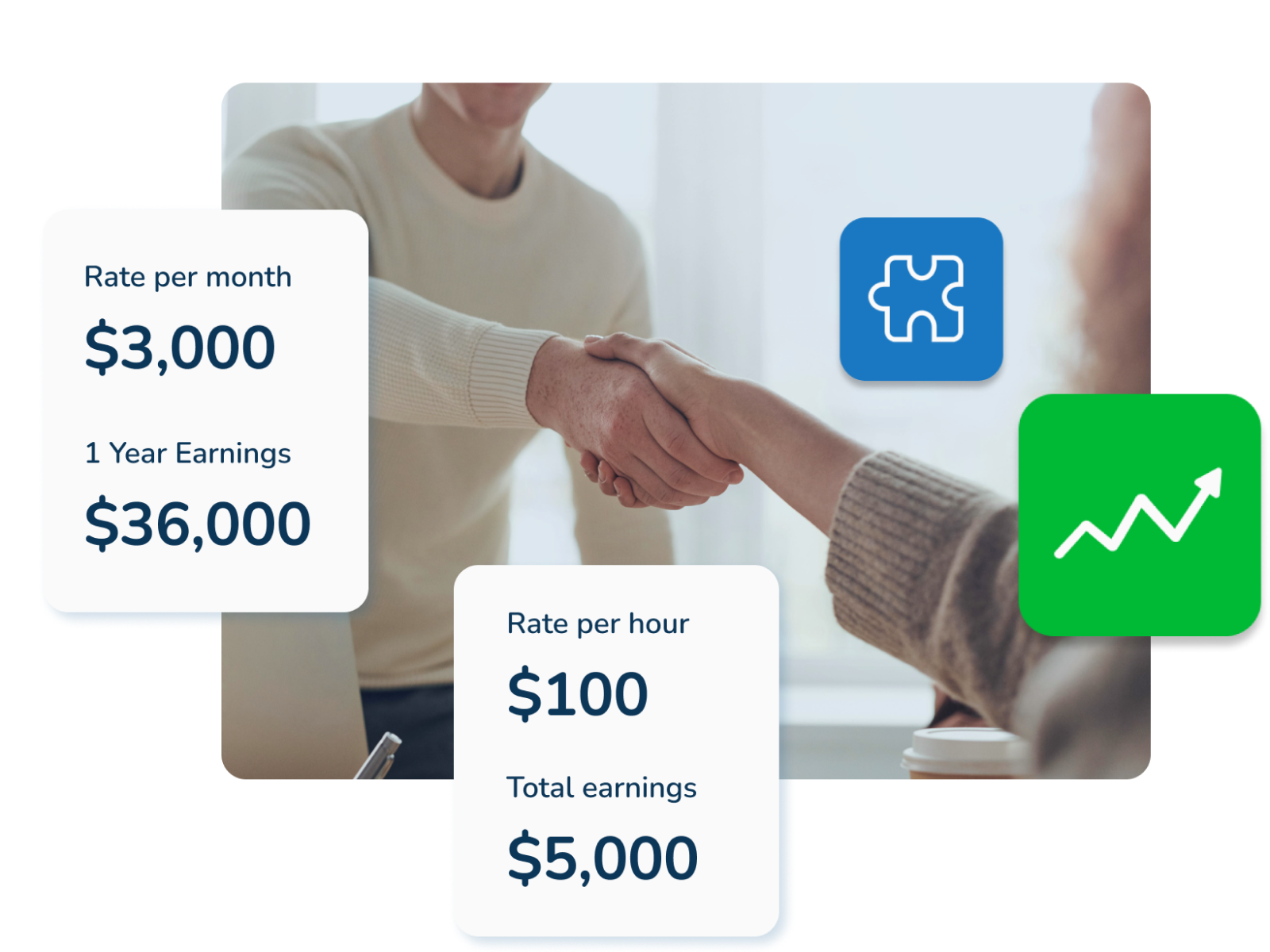
KanBo Partners Program
See why KanBo is the future of work KanBo gives teams everything they need to plan, organize, and collaborate on work—all in one place.
Explore KanBo Resources
Since you’re here, why not take a moment to explore our KanBo Help Portal and learn more about KanBo? Who knows, you might just discover something that will revolutionize the way you work!
Comprehensive guides and insightful tips to streamline work coordination.
Training resource packed with a library of video tutorials, and step-by-step instructions.
KanBo has been continuously improving since the beginning of its journey
The journey of KanBo began in 2011
The journey of KanBo began in 2011, when its creators presented the alpha version of the project, known then as “kaizeno” at the European SharePoint Conference in Berlin.
KanBo platform went live in 2013
In 2013, the KanBo platform went live, and the platform has since undergone continuous improvements and updates, leading up to its official launch. Today, KanBo continues to help businesses streamline their work management processes and achieve their goals.
Get started today with
KanBo!

KanBo is a work coordination software designed to help self-organizing teams work smarter and faster. You can see KanBo in action by accessing our Sandbox demonstration environment.
Work Coordination Platform
Manage projects.
Optimize processes.
Automate workflows.
Company strategy in prefect sync with every employee and task.
KanBo runs inside your infrastructure.
Not ours.
KanBo operates no multi-tenant cloud of its own. Whichever model you choose, the record of your work sits in a tenant or a data centre you already own, govern and audit — under your identity system, your retention policy, your jurisdiction. Deployment is a governance decision, and it stays yours.
Cloud — inside your Microsoft 365 tenant
KanBo is installed into the Microsoft 365 and Azure environment your organisation already runs. Your IT team owns the tenant, the identity layer and the data; KanBo adds the coordination layer on top. No new vendor infrastructure, no data migration to a third party, no separate security perimeter to certify. Choose this when your Microsoft estate is already your system of record and you want the coordination layer to inherit its controls.
GCC High Cloud — for controlled and classified work
For organisations operating under FedRAMP, ITAR and DFARS obligations, KanBo installs into Microsoft’s GCC High environment. Federal agencies, defence primes and their supply chain coordinate in the same environment their contracts already require — no exception process, no shadow tooling for the work that can’t leave. Choose this when a contract clause, not a preference, dictates where your data may reside.
On-premises — full custody
KanBo runs entirely on your own servers, including air-gapped networks. Nothing traverses infrastructure you do not operate. For regulated manufacturers, public-sector bodies and institutions where the answer to “who can access this?” must be nobody outside this building, this is the only architecture that answers the question honestly. Choose this when the operational record cannot leave your custody, for legal, contractual or sovereignty reasons.
Hybrid — two instances, one boundary you define
Two KanBo instances: one self-hosted, one on Microsoft’s infrastructure, including GCC High. You decide which work lives on which side — sensitive programmes stay in custody, everything else scales in the cloud. The boundary follows your classification policy rather than your vendor’s architecture. Choose this when you have two classes of work and refuse to govern them by the same rule.
Discover KanBo’s Powerful Features for All Your Projects
The platform’s features, including task management, scheduling, document management, and analytics, streamline work management and boost efficiency.
Card
Cards are a core feature of KanBo, serving as a visual representation of tasks or any items that need tracking and management. Each card holds essential information, including notes, files, comments, dates, checklists, and other data relevant to the task at hand.
Gantt Chart View
It is an essential tool for organizing and tracking projects effectively. Gantt Chart provides a clear overview of the project with its simple yet powerful visual representation of tasks and their timelines.
Calendar View
Calendar view provides a visual, time-dependent representation of your tasks. This allows you to easily see upcoming due dates, track progress and manage your workload.
Kanban View
Kanban enables tracking tasks and progress visually, offering a clear representation of project advancement, making it easy for users to monitor their current status.
Mind Map View
The Mind Map view is an innovative tool for planning and organizing tasks. It offers a dynamic visual representation that connects and organizes cards, providing a flexible and creative alternative to traditional lists and tables.
Card statistics
The card statistics feature offers a wealth of analytical insights to help users gain a comprehensive understanding of their card realization process. It provides a visual representation of a card’s lifecycle.
KanBo Getting Started Videos
Explore KanBo Learn, your go-to destination for tutorials and educational guides, offering expert insights and step-by-step instructions to optimize.
Company strategy executed day by day
Show strategy and connect company goals with daily operations. Coordinate projects, portfolios and measure progress. Achieve operational excellence with cross functional dependencies. Perform daily tasks always in harmony with the company’s strategy.
Seamless integration
KanBo uses already existing IT infrastructure, making it a secure platform that reduces the cost of KanBo to the purchase of licenses only. This means businesses can take advantage of their existing investments in technology, and easily integrate KanBo into their existing IT architecture.
KanBo Partners Program
See why KanBo is the future of work
KanBo gives teams everything they need to plan, organize, and collaborate on work—all in one place.
Explore KanBo Resources
Since you’re here, why not take a moment to explore our KanBo Help Portal and learn more about KanBo? Who knows, you might just discover something that will revolutionize the way you work!
Comprehensive guides and insightful tips to streamline work coordination.
Training resource packed with a library of video tutorials, and step-by-step instructions.
KanBo has been continuously improving since the beginning of its journey
The journey of KanBo began in 2011
The journey of KanBo began in 2011, when its creators presented the alpha version of the project, known then as “kaizeno” at the European SharePoint Conference in Berlin.
KanBo platform went live in 2013
In 2013, the KanBo platform went live, and the platform has since undergone continuous improvements and updates, leading up to its official launch. Today, KanBo continues to help businesses streamline their work management processes and achieve their goals.
Get started today with KanBo!
KanBo is a work coordination software designed to help self-organizing teams work smarter and faster. You can see KanBo in action by accessing our Sandbox demonstration environment.
Work Coordination Platform
Manage projects.
Optimize processes.
Automate workflows.
Company strategy in prefect sync with every employee and task.
KanBo runs inside your infrastructure.
Not ours.
KanBo operates no multi-tenant cloud of its own. Whichever model you choose, the record of your work sits in a tenant or a data centre you already own, govern and audit — under your identity system, your retention policy, your jurisdiction. Deployment is a governance decision, and it stays yours.
Cloud — inside your Microsoft 365 tenant
KanBo is installed into the Microsoft 365 and Azure environment your organisation already runs. Your IT team owns the tenant, the identity layer and the data; KanBo adds the coordination layer on top. No new vendor infrastructure, no data migration to a third party, no separate security perimeter to certify. Choose this when your Microsoft estate is already your system of record and you want the coordination layer to inherit its controls.
GCC High Cloud — for controlled and classified work
For organisations operating under FedRAMP, ITAR and DFARS obligations, KanBo installs into Microsoft’s GCC High environment. Federal agencies, defence primes and their supply chain coordinate in the same environment their contracts already require — no exception process, no shadow tooling for the work that can’t leave. Choose this when a contract clause, not a preference, dictates where your data may reside.
On-premises — full custody
KanBo runs entirely on your own servers, including air-gapped networks. Nothing traverses infrastructure you do not operate. For regulated manufacturers, public-sector bodies and institutions where the answer to “who can access this?” must be nobody outside this building, this is the only architecture that answers the question honestly. Choose this when the operational record cannot leave your custody, for legal, contractual or sovereignty reasons.
Hybrid — two instances, one boundary you define
Two KanBo instances: one self-hosted, one on Microsoft’s infrastructure, including GCC High. You decide which work lives on which side — sensitive programmes stay in custody, everything else scales in the cloud. The boundary follows your classification policy rather than your vendor’s architecture. Choose this when you have two classes of work and refuse to govern them by the same rule.
Discover KanBo’s Powerful Features for All Your Projects
The platform’s features, including task management, scheduling, document management, and analytics, streamline work management and boost efficiency.
Card
Cards are a core feature of KanBo, serving as a visual representation of tasks or any items that need tracking and management. Each card holds essential information, including notes, files, comments, dates, checklists, and other data relevant to the task at hand.
Gantt Chart View
It is an essential tool for organizing and tracking projects effectively. Gantt Chart provides a clear overview of the project with its simple yet powerful visual representation of tasks and their timelines.
Calendar View
Calendar view provides a visual, time-dependent representation of your tasks. This allows you to easily see upcoming due dates, track progress and manage your workload.
Kanban View
Kanban enables tracking tasks and progress visually, offering a clear representation of project advancement, making it easy for users to monitor their current status.
Mind Map View
The Mind Map view is an innovative tool for planning and organizing tasks. It offers a dynamic visual representation that connects and organizes cards, providing a flexible and creative alternative to traditional lists and tables.
Card statistics
The card statistics feature offers a wealth of analytical insights to help users gain a comprehensive understanding of their card realization process. It provides a visual representation of a card’s lifecycle.
KanBo Getting Started Videos
Explore KanBo Learn, your go-to destination for tutorials and educational guides, offering expert insights and step-by-step instructions to optimize.
Company strategy executed day by day
Show strategy and connect company goals with daily operations. Coordinate projects, portfolios and measure progress. Achieve operational excellence with cross functional dependencies. Perform daily tasks always in harmony with the company’s strategy.
Seamless integration
KanBo uses already existing IT infrastructure, making it a secure platform that reduces the cost of KanBo to the purchase of licenses only. This means businesses can take advantage of their existing investments in technology, and easily integrate KanBo into their existing IT architecture.
KanBo Partners Program
See why KanBo is the future of work
KanBo gives teams everything they need to plan, organize, and collaborate on work—all in one place.
Explore KanBo Resources
Since you’re here, why not take a moment to explore our KanBo Help Portal and learn more about KanBo? Who knows, you might just discover something that will revolutionize the way you work!
KanBo Help Portal
Comprehensive guides and insightful tips to streamline work coordination.
KanBo Learn
Training resource packed with a library of video tutorials, and step-by-step instructions.
KanBo has been continuously improving since the beginning of its journey
The journey of KanBo began in 2011
The journey of KanBo began in 2011, when its creators presented the alpha version of the project, known then as “kaizeno” at the European SharePoint Conference in Berlin.
KanBo platform went live in 2013
In 2013, the KanBo platform went live, and the platform has since undergone continuous improvements and updates, leading up to its official launch. Today, KanBo continues to help businesses streamline their work management processes and achieve their goals.
Get started today with KanBo!
KanBo is a work coordination software designed to help self-organizing teams work smarter and faster. You can see KanBo in action by accessing our Sandbox demonstration environment.
Work Coordination Platform
Manage projects.
Optimize processes.
Automate workflows.
Company strategy in prefect sync with every employee and task.
KanBo runs inside your infrastructure.
Not ours.
KanBo operates no multi-tenant cloud of its own. Whichever model you choose, the record of your work sits in a tenant or a data centre you already own, govern and audit — under your identity system, your retention policy, your jurisdiction. Deployment is a governance decision, and it stays yours.
Cloud — inside your Microsoft 365 tenant
KanBo is installed into the Microsoft 365 and Azure environment your organisation already runs. Your IT team owns the tenant, the identity layer and the data; KanBo adds the coordination layer on top. No new vendor infrastructure, no data migration to a third party, no separate security perimeter to certify. Choose this when your Microsoft estate is already your system of record and you want the coordination layer to inherit its controls.
GCC High Cloud — for controlled and classified work
For organisations operating under FedRAMP, ITAR and DFARS obligations, KanBo installs into Microsoft’s GCC High environment. Federal agencies, defence primes and their supply chain coordinate in the same environment their contracts already require — no exception process, no shadow tooling for the work that can’t leave. Choose this when a contract clause, not a preference, dictates where your data may reside.
On-premises — full custody
KanBo runs entirely on your own servers, including air-gapped networks. Nothing traverses infrastructure you do not operate. For regulated manufacturers, public-sector bodies and institutions where the answer to “who can access this?” must be nobody outside this building, this is the only architecture that answers the question honestly. Choose this when the operational record cannot leave your custody, for legal, contractual or sovereignty reasons.
Hybrid — two instances, one boundary you define
Two KanBo instances: one self-hosted, one on Microsoft’s infrastructure, including GCC High. You decide which work lives on which side — sensitive programmes stay in custody, everything else scales in the cloud. The boundary follows your classification policy rather than your vendor’s architecture. Choose this when you have two classes of work and refuse to govern them by the same rule.
Discover KanBo’s Powerful Features for All Your Projects
The platform’s features, including task management, scheduling, document management, and analytics, streamline work management and boost efficiency.
Card
Cards are a core feature of KanBo, serving as a visual representation of tasks or any items that need tracking and management. Each card holds essential information, including notes, files, comments, dates, checklists, and other data relevant to the task at hand.
Gantt Chart View
It is an essential tool for organizing and tracking projects effectively. Gantt Chart provides a clear overview of the project with its simple yet powerful visual representation of tasks and their timelines.
Calendar View
Calendar view provides a visual, time-dependent representation of your tasks. This allows you to easily see upcoming due dates, track progress and manage your workload.
Kanban View
Kanban enables tracking tasks and progress visually, offering a clear representation of project advancement, making it easy for users to monitor their current status.
Mind Map View
The Mind Map view is an innovative tool for planning and organizing tasks. It offers a dynamic visual representation that connects and organizes cards, providing a flexible and creative alternative to traditional lists and tables.
Card statistics
The card statistics feature offers a wealth of analytical insights to help users gain a comprehensive understanding of their card realization process. It provides a visual representation of a card’s lifecycle.
KanBo Getting Started Videos
Explore KanBo Learn, your go-to destination for tutorials and educational guides, offering expert insights and step-by-step instructions to optimize.
Company strategy executed day by day
Show strategy and connect company goals with daily operations. Coordinate projects, portfolios and measure progress. Achieve operational excellence with cross functional dependencies. Perform daily tasks always in harmony with the company’s strategy.
Seamless integration
KanBo uses already existing IT infrastructure, making it a secure platform that reduces the cost of KanBo to the purchase of licenses only. This means businesses can take advantage of their existing investments in technology, and easily integrate KanBo into their existing IT architecture.
KanBo Partners Program
See why KanBo is the future of work
KanBo gives teams everything they need to plan, organize, and collaborate on work—all in one place.
Explore KanBo Resources
Since you’re here, why not take a moment to explore our KanBo Help Portal and learn more about KanBo? Who knows, you might just discover something that will revolutionize the way you work!
KanBo Help Portal
Comprehensive guides and insightful tips to streamline work coordination.
KanBo Learn
Training resource packed with a library of video tutorials, and step-by-step instructions.
KanBo has been continuously improving since the beginning of its journey
The journey of KanBo began in 2011
The journey of KanBo began in 2011, when its creators presented the alpha version of the project, known then as “kaizeno” at the European SharePoint Conference in Berlin.
KanBo platform went live in 2013
In 2013, the KanBo platform went live, and the platform has since undergone continuous improvements and updates, leading up to its official launch. Today, KanBo continues to help businesses streamline their work management processes and achieve their goals.
Get started today with KanBo!
KanBo is a work coordination software designed to help self-organizing teams work smarter and faster. You can see KanBo in action by accessing our Sandbox demonstration environment.